


Uptime Monitoring: know the moment your site goes down


Every minute your site is down means lost visitors, lost sales, and lost trust. The worst way to find out is from a customer complaint or a revenue drop.
Performance Insights monitors your sites continuously and alerts you the moment one stops responding, and again when it recovers.
What uptime monitoring does
Uptime monitoring checks your websites and critical pages on a schedule to confirm they're reachable. When a site stops responding, Performance Insights detects it within the check interval and alerts the right people. You can monitor as many sites and pages as you need, each on its own schedule. Critical pages — checkout, login, high-traffic landing pages — can be checked more frequently than the rest.
Alerts
When a site goes down, the right people are notified by email, Slack, or Microsoft Teams. You control who gets alerted and at which level, so the on-call engineer hears about an outage without the whole company being copied in.
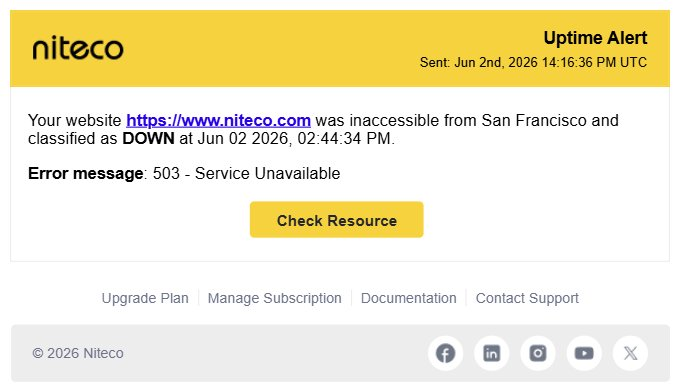
When a site goes down, Performance Insights sends an immediate notification with the error code, the monitoring location that detected the failure, and the exact time it was flagged. You know what failed, where it was detected, and when.
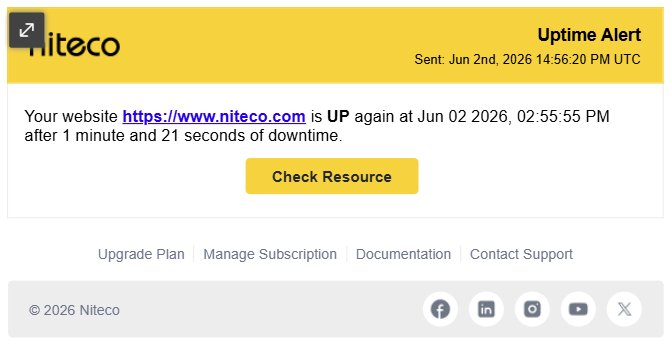
When the site comes back up, a second notification confirms the recovery with the exact time and the total duration of the outage. Between the two you have a complete incident record.
Settings that cascade
You don't have to configure every page by hand. Uptime settings follow your account hierarchy - organization, client, project, site, and page. Set a sensible default at the top and it cascades down to everything beneath it, so consistent monitoring applies across your whole estate automatically. Then override it wherever a specific site or page needs different treatment.
How to set it up
To get started:
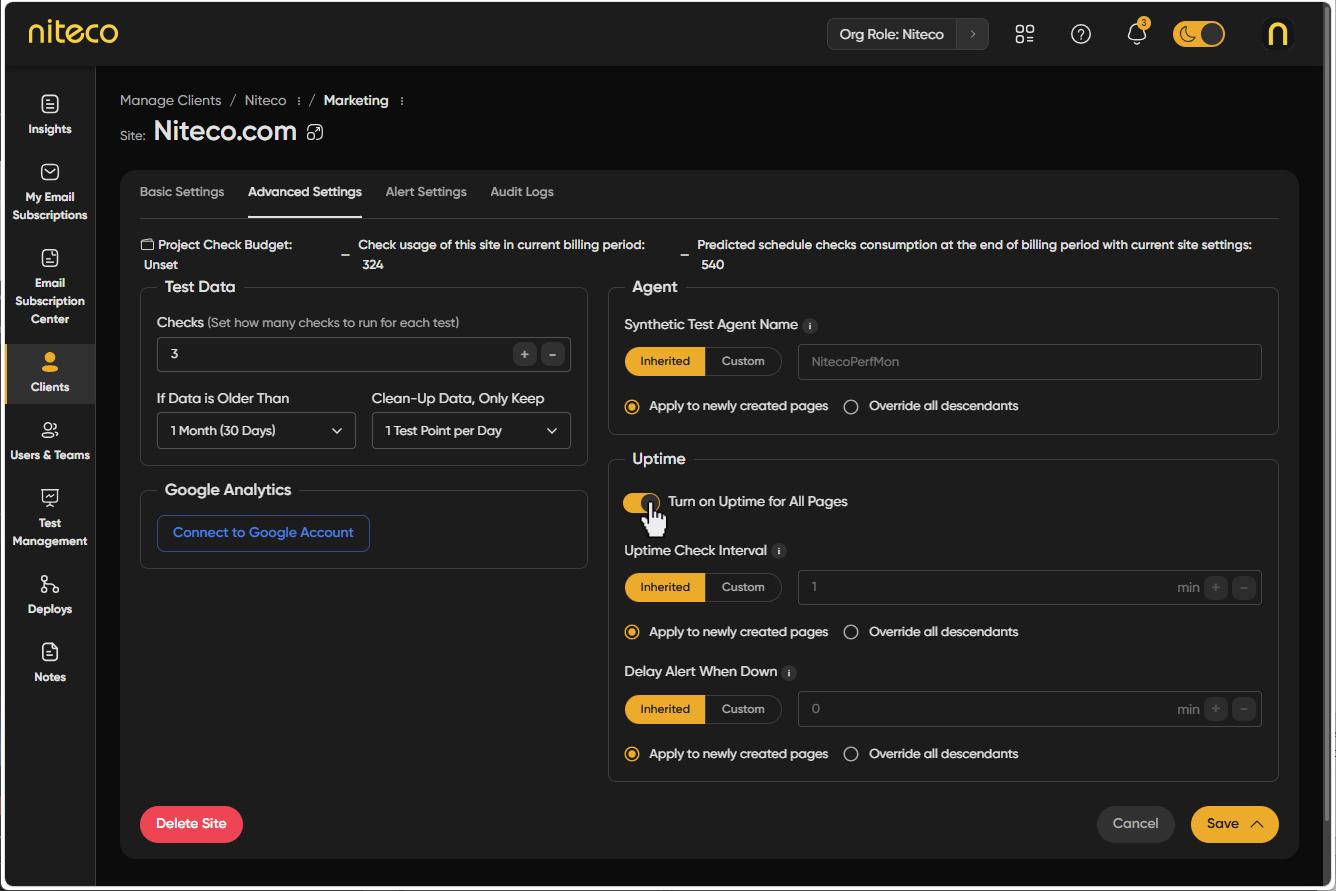
- Enable monitoring on a site. In the site's configuration, turn on the uptime/downtime monitor and toggle on uptime alerts.
- Set your interval and delay. Use the defaults - one-minute checks, immediate alerts - or customise them for the site or page based on how critical it is.
- Choose who gets alerted. At the client, project, or site level, pick the individual users or teams who should receive notifications, and connect your channel - email, Slack, or Teams.
Avoiding alert fatigue
Too many alerts and people stop reading them. Performance Insights gives you two controls to keep alerts useful.
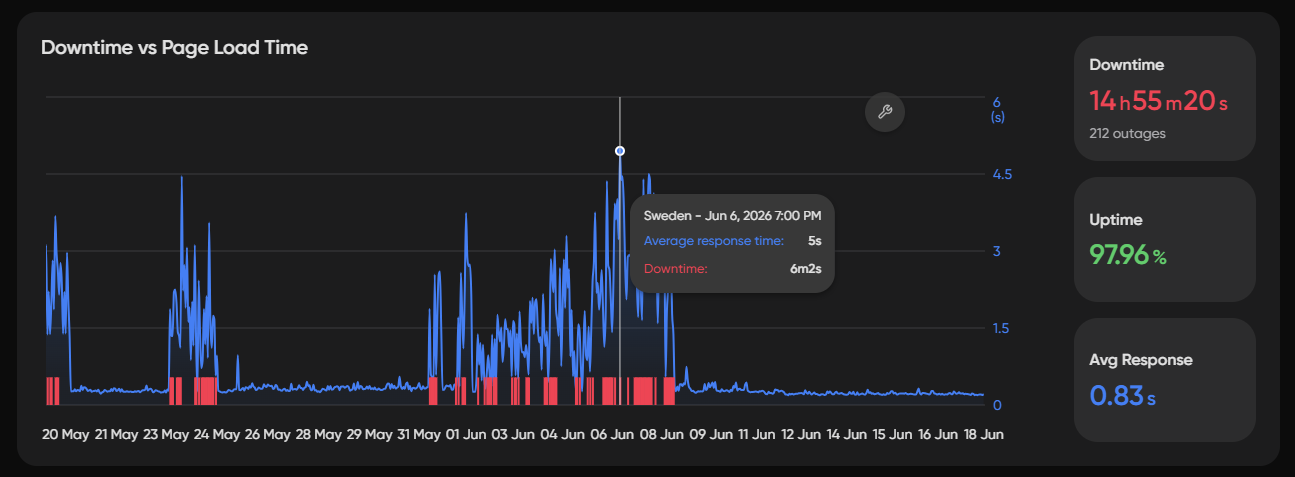
Check interval is how often a page is tested. The default is once a minute. You can set a custom interval per page - tighter on the pages that matter most, looser on the ones that don't need frequent checks.
Delay alert when down is how long a site must stay down before anyone is notified. The default is zero. If a site occasionally has brief blips that resolve on their own, a short delay filters those out so you're only alerted when an outage is real.
Why it matters
Downtime discovered late costs more to fix and more in lost revenue. Uptime monitoring ensures the right people are notified immediately, on the channels they already use, with alerts tuned to cut out noise. Knowing fast is what keeps a minor incident from becoming a major one.
Get started
- Start a Performance Insights account - https://insights.niteco.com
- Uptime monitoring guide - https://perfdocs.niteco.com/docs/uptime-monitoring