


Travel Booking Site Monitoring Before Your Peak Period



TL;DR
- During your own peak booking period, each minute a booking page is slow or down costs more than the same minute in a quiet month, and those guests often book with a competitor or an OTA instead.
- Multi-market travel sites tend to break in third-party booking engines, heavy property pages, country domains nobody tests from abroad, and SSL certificates on forgotten subdomains.
- Scheduled monitoring from the markets you serve shortens the time it takes to spot a problem. It won't prevent outages, so set it up weeks before peak, not during it.
For many hotel groups, OTAs, tour operators, and transport brands, a short run of weeks and evenings carries a large share of the year's bookings. If the booking page slows down or goes offline in that window, guests rarely wait for it to recover. They book the same room or route somewhere else.
This guide is for the marketing and digital leads who own the booking target but not the codebase. It covers:
- How to put a number on peak-hour downtime and slowdowns
- Where multi-market travel sites usually break
- Why a one-off speed test gives too little warning
- A week-by-week pre-peak checklist
- How to make the internal case for monitoring
The Cost of Slow Pages and Downtime in Peak Booking Periods
Why peak windows raise the cost of every minute
Bookings don't arrive evenly. A fare sale, a campaign email, or a holiday announcement can push several weeks of demand into a few evenings. The timing differs for every brand and market, so don't rely on industry calendars. Pull last year's daily and hourly booking data from your analytics and mark the dates and hours where volume spiked. Those are the windows this post is about.
An outage at 3 a.m. on a quiet Tuesday may cost a handful of bookings. The same outage at 8 p.m. in your busiest week lands on the hour with the most guests holding a credit card.
A simple cost model for peak-hour problems
You don't need a finance team to estimate exposure. Three inputs from your analytics are enough:
bookings per peak hour × average booking value × (minutes affected ÷ 60) × share of bookings lost
The table below uses made-up figures to show the math. Replace them with your own.
|
Input or scenario (hypothetical example) |
Value |
|
Bookings per peak hour |
120 |
|
Average booking value |
$400 |
|
Booking revenue per peak minute |
$800 |
|
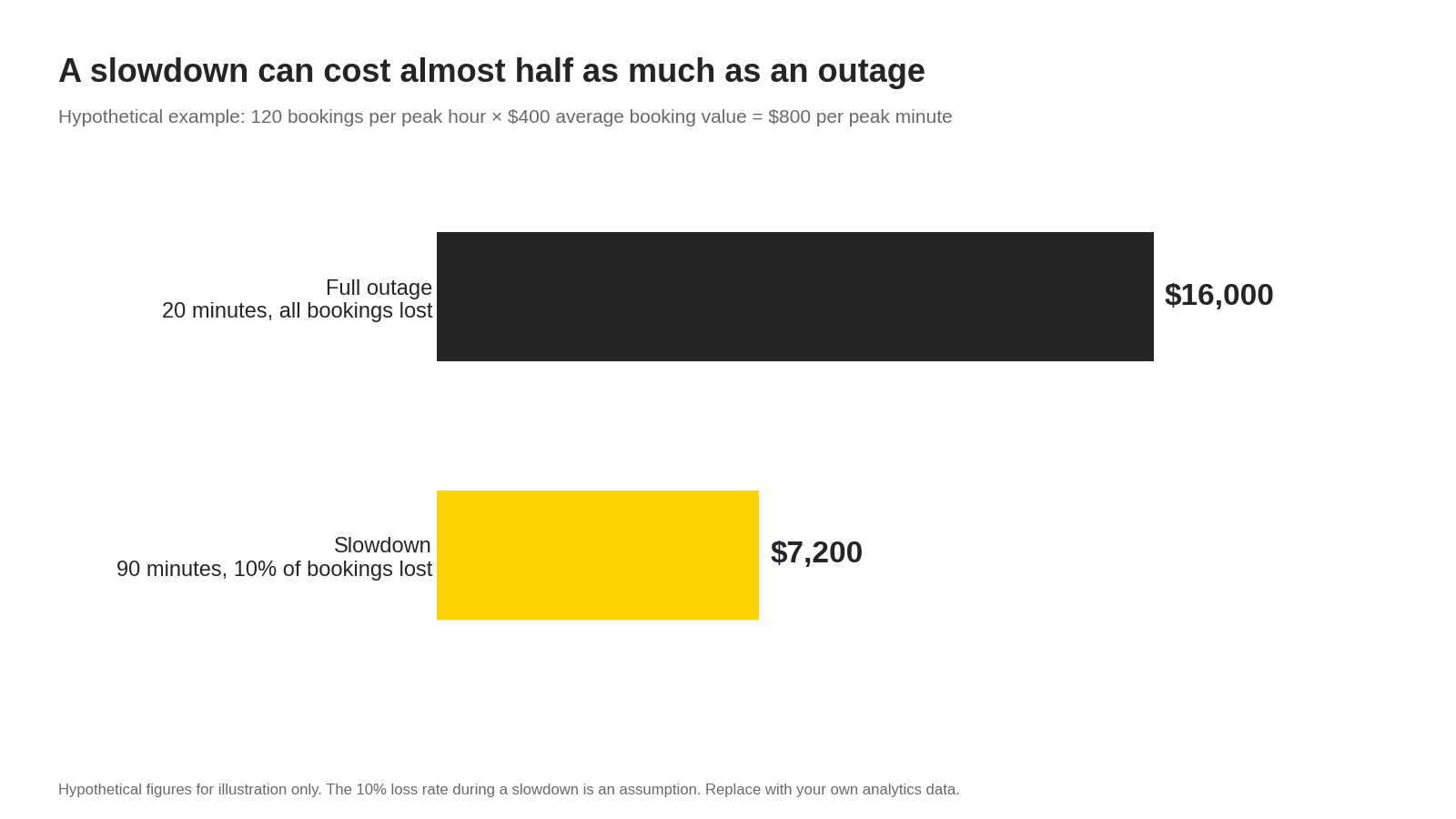
Full outage, 20 minutes, all bookings lost |
$16,000 |
|
Slowdown, 90 minutes, 10% of bookings lost (assumed rate) |
$7,200 |
The slowdown row is the one teams tend to miss. A page that loads slowly for an hour and a half never triggers an outage alarm, yet in this example it costs almost half as much as a full outage.
The model has limits. Some guests come back later and book anyway. Others return through an OTA, so the booking stays in your inventory but carries a commission. Treat the result as a range for planning, not a precise loss figure.
What research links speed to bookings
The Milliseconds Make Millions study by Deloitte and 55, commissioned by Google, analyzed more than 30 million sessions across 37 brand sites. It found that a 0.1-second improvement across four mobile speed metrics was associated with a 10% increase in travel booking rates and a 2.2% increase in travel checkout completion.
Read those numbers with care. The data is from late 2019, the result is a correlation across different sites, and it does not promise that shaving 0.1 seconds off your pages will lift your bookings by the same amount. It does support the direction of the argument: speed on mobile booking pages tends to move with booking behavior.
Where Performance Breaks on Multi-Market Travel Sites
Heavy imagery and maps on property pages
Property and destination pages carry the most weight on a travel site: photo galleries, room carousels, embedded maps, and sometimes video. The largest image on the page is often what Largest Contentful Paint measures, so an uncompressed hero photo uploaded by a property team can push LCP up on one hotel page while every other page looks fine. Track LCP per page template and per property type, not just for the homepage.
Third-party booking engines and payment widgets
Many travel brands run their booking engine, payment form, or seat and room selection on a vendor's platform. Those vendors ship updates on their own schedule, and a new script or a broken resource can appear on your booking page without a release from your team.
This is where Niteco Performance Insights' site change alerts help. They flag when page resources or console warnings change between test runs, so a new vendor script or a fresh JavaScript error on the booking page shows up as an alert rather than a dip in next week's conversion report.
Price comparison and review widgets
Rate comparison badges, review scores, and "only 2 rooms left" widgets usually load from external hosts. If one of those hosts responds slowly and the script loads synchronously, the whole page can wait for it. Ask your developers which of these widgets load asynchronously and which could block rendering if the provider has a bad day.
Country domains tested only from head office
A team in London that checks the Spanish, German, and Japanese sites from the office sees London results. Guests in Madrid or Osaka may get a different CDN edge, a different redirect path, or a regional payment provider that the London test never touches.
Niteco Performance Insights runs tests from 23 test locations, so you can check each country or language site from the market it serves. A slowdown that only affects one region then shows up for that region, instead of hiding behind a healthy result from head office.
SSL certificates across many subdomains
Multi-market brands collect subdomains quickly: book., checkout., de., jp., campaign microsites, and partner portals. Each one has a certificate with its own expiry date. When one lapses, guests see a browser security warning instead of a booking form, and few of them click through.
Tip: Want to see how your country booking sites perform from the markets they serve before peak?
The Limits of One-Off Speed Tests
What a single lab test shows
A one-off test from a free tool gives you a snapshot: one page, one location, one moment. It is useful for diagnosing a page you already suspect. It won't tell you that a payment widget started throwing errors on Thursday evening, or that your Australian site went down at 7 p.m. local time while your team was asleep.
What scheduled synthetic monitoring adds
Scheduled synthetic monitoring runs the same tests on a fixed schedule from fixed locations, so changes stand out against a baseline. The table compares the two categories, not specific tools.
|
Category |
One-off lab test |
Scheduled synthetic monitoring |
|
When it runs |
When someone remembers to run it |
On a fixed schedule, day and night |
|
Test location |
Usually one, often near head office |
Multiple, matched to each market |
|
History |
Single result |
Trend over weeks, with a baseline |
|
Third-party changes |
Visible only if you happen to test after the change |
Flagged when resources or errors change between runs |
|
Downtime |
Not covered |
Uptime checks with alerts |
|
Who hears about a problem |
Whoever ran the test |
Whoever the alerts are routed to |
|
Real guest devices and connections |
Not measured |
Not measured |
What synthetic monitoring cannot see
That last row matters. Synthetic tests run in controlled conditions from known locations. They don't show how a real guest on an older phone, hotel Wi-Fi, or a patchy mobile connection experiences your booking flow. That requires real user monitoring (RUM), and Niteco Performance Insights does not offer RUM.
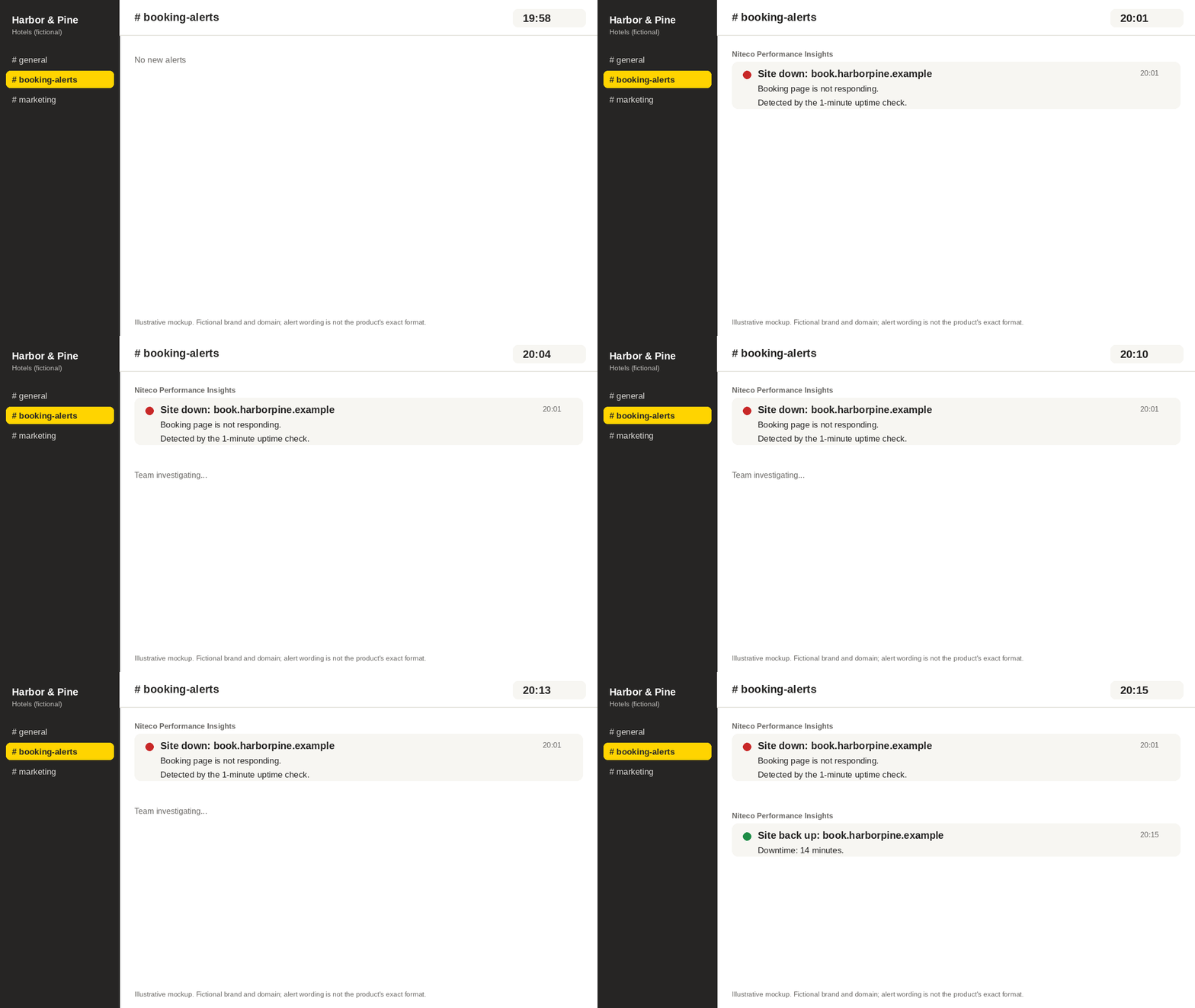
Monitoring also does not prevent outages or recover lost bookings. What it changes is how quickly you find out. Learning about a broken booking page from an alert two minutes after it fails is a very different evening from learning about it from a guest complaint the next morning.
Building the Business Case Internally
Start with your own cost per peak minute
Run the cost model with your analytics data. A single figure, such as "a 20-minute outage in our busiest hour costs roughly X in bookings," tends to land better with finance and leadership than a general argument about speed. Show the slowdown scenario next to the outage scenario, because slowdowns are more common and easier to overlook.
Frame monitoring as faster detection
Don't present monitoring as outage prevention. Present it as reducing the gap between "the booking page broke" and "the right person knows." If last year's incidents were found by guests, customer service, or a morning report, note how long each one took to surface. That gap, multiplied by your cost per minute, is the exposure monitoring addresses.
Bring in the people who own the code
Marketing owns the booking target, but the fixes usually sit with developers, agencies, or vendors. Share the checklist with them early so alerts go to people who can act on them, and agree in advance who decides to roll back a change during peak.
FAQ
How much does a slow booking page cost during a peak booking period?
It depends on your bookings per peak hour, average booking value, and how long the problem lasts. Multiply those together, then apply an estimate of the share of bookings lost. In the hypothetical example above, a 90-minute slowdown losing 10% of bookings costs $7,200. Use your own analytics data for a real figure.
Does Niteco Performance Insights measure how real guests experience our booking pages?
No. Niteco Performance Insights uses synthetic tests run from 23 locations under controlled conditions. It does not include real user monitoring, so it won't show the exact experience of a guest on their own device and connection.
How far ahead of our peak booking period should we set up monitoring?
We suggest about six to eight weeks. That allows time to collect a baseline, set sensible alert thresholds, and fix the slowest pages before traffic rises. This is a planning recommendation, not a tested benchmark.
Can monitoring stop our booking site from going down?
No. Monitoring tells you when a page is down or slow so your team can respond sooner. It does not prevent outages and won't recover bookings that were already lost.
Why test each country site from its own market?
Guests in different regions can reach different CDN edges, redirects, and payment providers. A test from head office only shows the experience near head office, so a regional problem can go unnoticed until bookings in that market drop.
Summary
The practical point is simple: work out what one minute of slow or missing booking pages costs during your own peak window, then make sure you hear about problems in minutes, not the next morning.
Before your next peak booking period, set up uptime alerts and 23-location tests across every country booking site in Niteco Performance Insights, so each market is checked from where its guests book.